8:10am, a buyer opens Dynamics 365 Finance and Supply Chain Management, lands on the "All purchase orders" list page, and filters to status "Confirmed" with a delivery date in the next two weeks. She exports the grid to Excel. Then she opens Outlook and starts typing. "Hi, checking on PO000148210, are we still good for the 30th?" Twenty-six of them before her first meeting.
Her company runs the full D365 stack. Requisitions route themselves. POs get released on a workflow. There's even a vendor portal nobody told the suppliers to use. And still, the actual chasing happens one email at a time.
That's the honest state of Dynamics 365 procurement automation at most manufacturers we talk to. D365 automates a real chunk of the work. Just not the chunk that fills your buyers' calendars.
What Does Dynamics 365 Actually Automate?
Give Microsoft credit. Inside the Procurement and Sourcing module, the transactional flow is genuinely automated, and it's been solid since the AX days that D365 grew out of.
A purchase requisition gets entered (or generated from planning), and the requisition-to-PO workflow takes over. Approval routing fires based on amount, legal entity, procurement category, or whatever hierarchy you configured. Approved requisitions convert to purchase orders, either automatically or with a buyer click, pulling the right vendor and the agreed price off a purchase agreement if one exists. Release happens on a workflow too. The PO can transmit to the vendor by email or electronically the moment it's confirmed.
Purchase agreements are the part teams underuse. Set up a volume or value commitment with a vendor, and releases against it price themselves and draw down the commitment without anyone re-keying terms. For repeat parts from a known supplier, that's close to hands-off.
And the back end matches. Vendor invoices post against the PO and the product receipt, and invoice matching policies block the ones that don't reconcile before AP pays a cent.
If your procurement was only requisitions, approvals, PO creation, and three-way matching, D365 would be enough. Business Central, the lighter SKU for smaller teams, covers the same shape with less ceremony: purchase orders, approval workflows by amount, item and vendor cards, posted receipts. Fewer knobs, same lane.
So when a Dynamics shop says "our procurement is automated," they're right about the half of the process that lives inside Dynamics. The transactional half.
Then the PO leaves the building.
What Happens After the PO Confirms?
The order hits a supplier's inbox, and from that second D365 goes dark on it.
Did the supplier accept the order at the dates you sent? D365 has a real mechanism here: confirmation of purchase orders, plus the change management workflow that controls whether and how a PO can be revised after it's confirmed. You can require vendor confirmation and track the confirmed delivery date against the requested one. The framework is well built.
It's also empty at most companies. Unless the vendor is sending the confirmation as a structured electronic document, the acknowledgment arrives as a free-text email or a PDF, and somebody has to open the PO and type the confirmed ship date into the record. Across hundreds of open lines, nobody does. So master planning keeps scheduling against requested dates no supplier ever agreed to, and the planners learn to distrust the dates, which quietly undoes the reason you bought a planning engine.
That's the tell. Dynamics plans against whatever the last buyer typed in. When the typing stops, the data quietly rots while the system keeps reporting it with total confidence.
The follow-up work itself? The "any update?" nudges, the escalation when a vendor goes silent on a line-down part, the partial-shipment reconciliation. There's no form for that. It's Outlook, a personal spreadsheet, and the buyer's memory of who owes her what.
Can Dynamics 365 Send an RFQ?
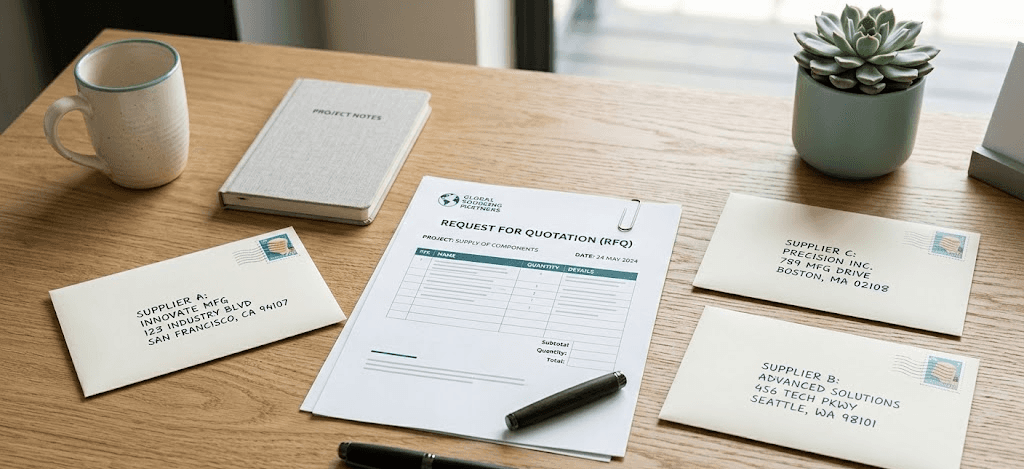
Yes, on paper. The Procurement and Sourcing module has a request for quotation flow: create the RFQ, add vendors, send it, log their replies, and compare bids before you award and turn the winner into a PO.
In practice, logging the replies means a buyer reading each emailed quote and keying every line into D365 before the comparison shows anything useful. There's thin handling for the engineering drawings that ride along with a real RFQ, no tracking of who opened it, and no chasing of the three vendors who went quiet. So buyers route around it. They send RFQs from Outlook, collect PDF and Excel quotes, and build the comparison in a spreadsheet. The RFQ form sits unused next to the confirmation tab.
We've sat with D365 teams where one person knew the RFQ flow existed and had stopped using it years ago.
Isn't the Vendor Collaboration Portal Supposed to Fix This?
This is Microsoft's official answer to the supplier gap. The vendor collaboration portal gives external vendors a Dataverse-backed workspace where they can view POs, confirm orders, submit ship dates, post invoices, and respond to RFQs without your buyers re-keying anything. On the architecture diagram, it closes the loop.
For your largest, most connected vendors, it can work. They do enough volume with you to justify learning it, they have someone whose job includes logging into customer systems, and the structured data that flows back is clean.
Now picture vendor number 53, the nine-person machine shop that turns your custom housings. They are not creating an account, getting provisioned in your portal, and learning a Microsoft web app to confirm a $2,100 PO. They'll reply to the email like they always have. And here's the position I'll defend: for most manufacturers' supply base, the vendor collaboration portal is the wrong abstraction. It assumes the supplier will come to your system. The long tail of direct-materials suppliers never will, and the long tail is exactly where your custom parts, your single-source risk, and your late deliveries live. A portal that your most critical small vendors ignore isn't a solution to the communication problem. It's a dashboard for the suppliers who were never the problem.
So even D365 shops that stood up the portal end up with two tiers: structured confirmations from a handful of big vendors, and email from everyone else. The email tier is the one that breaks production.
Where Power Automate Helps and Where It Doesn't
Most Dynamics teams have figured out the portal won't carry the load, so they reach for the tool right next door: Power Automate. And for the deterministic gaps, it earns its keep.
A flow can watch a SharePoint folder or a shared mailbox and create a record. It can fire a Teams alert when a PO sits unconfirmed past a threshold. It can move an attachment, stamp a field, kick a reminder on a schedule. If the trigger is clean and the action is structured, Power Automate is the right glue, and teams build dozens of these.
Where it falls apart is the unstructured middle. A supplier replies, "we can do the 40 pieces but steel's tight so figure the 22nd not the 15th, and the price holds if you take 60." A flow can route that email. It cannot read it, decide which of four open PO lines it touches, pull the revised date and the conditional price, and write the right field back to D365 with the judgment that the part is line-down and needs escalation. People try. They end up with a brittle pile of flows that break when a vendor phrases things differently than last week, plus a Dataverse table of half-parsed emails that someone still has to clean up by hand.
Power Automate automates the predictable. Supplier communication is the opposite of predictable, which is the whole reason it's still a human's job.
D365 vs Manual: Where the Line Actually Sits
Here's the split, task by task.
Procurement task | Does Dynamics 365 do it? | What still runs on email |
|---|---|---|
Requisition approval routing | Yes, requisition-to-PO workflow by amount, category, entity | Nothing, this works |
PO creation and release | Yes, from requisitions or agreements, on a workflow | Nothing, this works |
Pricing repeat buys | Yes, via purchase agreements (volume/value commitments) | Negotiating the agreement in the first place |
Three-way matching | Yes, invoice matching policies block discrepancies | Resolving the discrepancy with the vendor |
Sending an RFQ with drawings | Partial, the form exists; no real attachment or response handling | Sending, tracking opens, chasing non-responders |
Normalizing supplier quotes | No | Reading each PDF/Excel and mapping line items by hand |
PO confirmation capture | Framework yes (confirmation control), data no without EDI | Typing the confirmed date off an email into the PO |
Reading a free-text delay email | No | A buyer parses it and updates D365 manually |
Chasing silent suppliers | No | Manual reminders, personal spreadsheet, memory |
Keeping planning dates honest | Only as honest as the last manual entry | The buyer is the integration |
The pattern is the one we keep hitting across every ERP. The system is strong on the structured, internal, transactional work. It's absent on the unstructured, external, supplier-facing work. Same story we wrote up for teams on SAP and on NetSuite, because the gap isn't an ERP defect, it's a scope boundary. ERP vendors build financial systems of record. Supplier communication is a different job.
So What Closes the Gap?
Dynamics 365 is a good system of record. What's missing is a system of action: the layer that does the supplier-facing work and writes the truth back so D365 stops planning against fiction.
For a Dynamics shop, that layer needs to do four concrete things:
- Send RFQs with drawings and specs from plain email, track who responded, and chase who didn't.
- Read whatever comes back, PDF, Excel, pricing typed inline, and normalize it into a comparison no buyer re-keys.
- Watch every open PO: request the acknowledgment, confirm the ship date as it nears, catch the "running two weeks behind" email.
- Write results back to Dynamics through the API, so confirmed dates land on the PO and master planning schedules against reality.
That last point is where the portal-versus-email choice gets decided. A portal asks every supplier to change. An email-native layer asks none of them to. When vendor 53 replies "ship date moved to the 22nd, sorry," the layer matches it to the right PO line, updates D365, and flags the buyer with the original email attached. The buyer makes the call. The typing, chasing, and reconciling stops being her morning.
This is what Lumari does on top of Dynamics 365. It runs the RFQs and keeps the open POs honest over the email your suppliers already use, then writes the confirmed dates and status changes back into D365. No vendor onboarding, no portal logins, no pile of brittle flows to babysit. The 8:10am export ritual goes away, because the follow-ups already went out and the answers are already in the system.
FAQ
Can Dynamics 365 automatically follow up with suppliers on open POs?
No. D365 can transmit the PO and surface unconfirmed orders, and you can build Power Automate reminders or Teams alerts off thresholds. But it can't read a supplier's reply, decide which PO line it affects, or write the new date back. Context-aware follow-up and escalation happen outside Dynamics.
Does the vendor collaboration portal solve supplier communication in D365?
Partly, and only for the suppliers who actually use it. The portal lets vendors confirm orders, submit ship dates, and respond to RFQs in a Dataverse-backed workspace. Adoption stalls on small direct-materials suppliers, who keep replying by email, so most shops end up with structured data from a few big vendors and email from everyone else.
What does Power Automate handle in Dynamics procurement?
The deterministic glue: alerts on unconfirmed POs, scheduled reminders, moving attachments, creating records from a mailbox or SharePoint trigger. It can't reliably parse a free-text supplier email, extract the revised date or conditional price, and update the right D365 field. That requires reading and judgment, not a flow.
Is procurement automation different in Business Central?
Business Central handles purchase orders, amount-based approvals, vendor and item cards, and posted receipts well for smaller teams. It just runs the same lane with less ceremony. There's no native RFQ-over-email, no quote normalization, and no way to read supplier replies, so the email gap is identical to D365 F&SCM, often felt sooner because the team is smaller.
Do suppliers need to learn new software for this to work?
No, and that's the point. With an email-native layer, suppliers reply to email like they always have. The intelligence sits on your side, reading whatever they send in whatever format and writing structured updates back to Dynamics. Portal-based approaches push the burden onto suppliers who don't want it; email-native approaches don't.
Your Dynamics 365 system already knows how to route a requisition, release a PO, and block a bad invoice. What it's never known is what your suppliers said this morning. Lumari runs the supplier-facing work on top of D365: it sends the RFQs, reads the replies, chases the silence, and writes confirmed dates back so master planning finally schedules against the truth.